Did your ticket delivery direct you to TodayTix?
You’re in the right place. This guide will walk you through how to access your tickets using the TodayTix mobile app so you’re ready for your event.
Step 1: Download the TodayTix App
TodayTix tickets are accessed through their mobile app, which is required to view your tickets.
Download the TodayTix App from the App Store or Google Play.
Tickets cannot be accessed without the app.

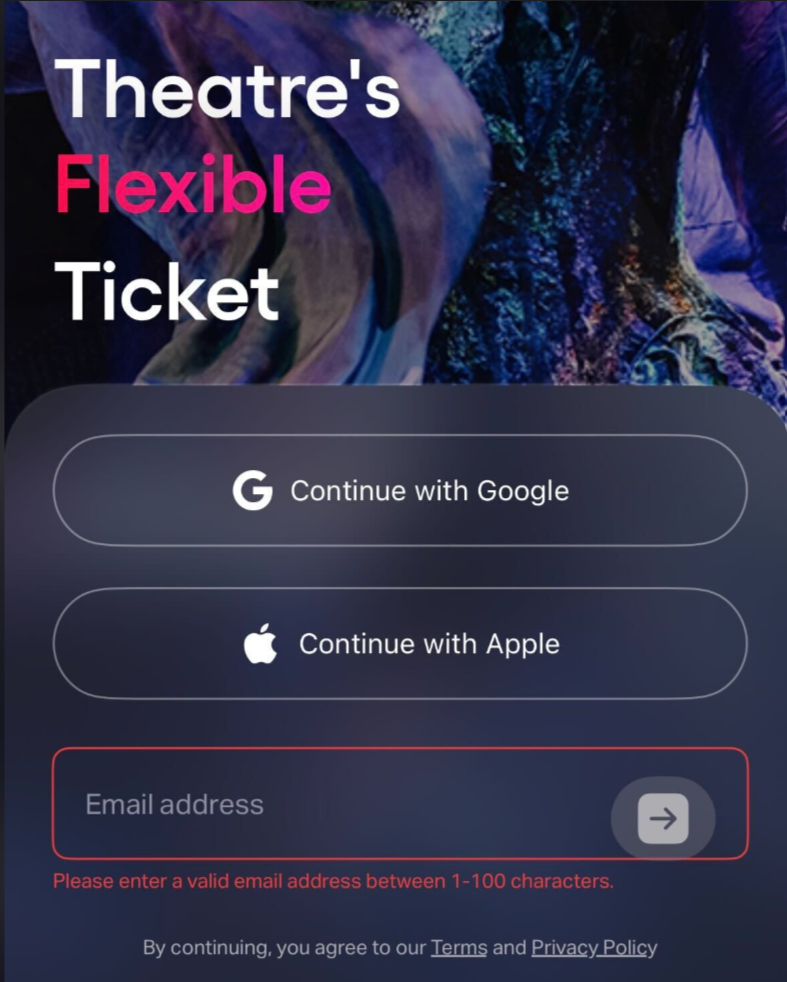
Step 2: Sign In With Your Email Address
Once the app is installed:
Open the TodayTix app.
Enter the same email address used when placing your order.
Be sure to use the email associated with your purchase so your tickets load correctly.
Step 3: Verify Your Login
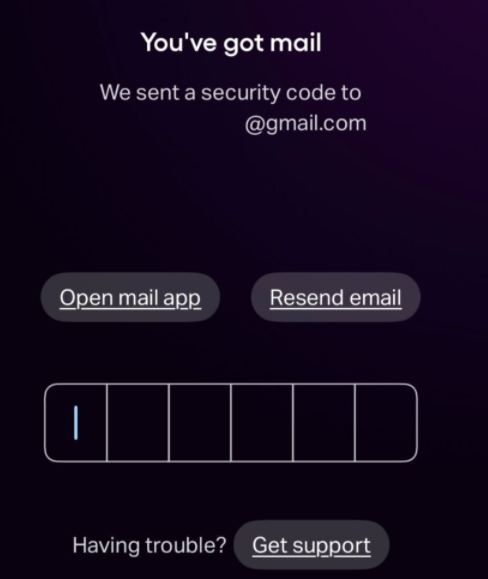
To complete sign-in, TodayTix will send you a one-time security code.
Check your email for the verification code.
Enter the code in the app when prompted.
If needed, you can resend the code from the login screen.
Once verified, you’ll be logged into your account.
Step 4: View Your Tickets
After signing in:
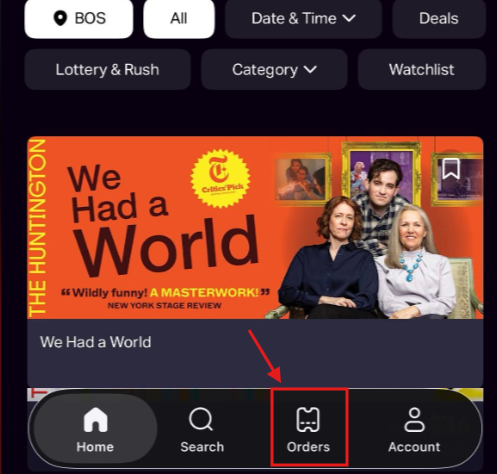
Tap the Tickets tab at the bottom of the app.
Your upcoming event will appear there.
Select the event to view your ticket details and entry information.
Tickets are displayed directly in the TodayTix app and will be ready to scan at the venue.
Helpful Tips
Make sure you’re logged in with the correct email address.
If you don’t see tickets immediately, fully close and reopen the app.
Keep the TodayTix app installed on the phone you plan to bring to the event.
Still Need Help?
If you’ve followed the steps above and don’t see your tickets, connect with us via live chat and we’ll be happy to help you get sorted.
Was this article helpful?
That’s Great!
Thank you for your feedback
Sorry! We couldn't be helpful
Thank you for your feedback
Feedback sent
We appreciate your effort and will try to fix the article