Did you receive confirmation that your FIFA World Cup tickets were sent?
You’re in the right place. This guide walks you through how to access your FIFA ticketing account, accept your tickets, and view them once they become available.
TABLE OF CONTENTS
- Step 1: Go to the FIFA Ticketing Website
- Step 2: Verify Your Email Address
- Step 3: Accept the Ticket Transfer
- Step 4: Locate Your Tickets
- Step 5: Access Tickets via the FWC2026 Mobile Tickets App (REQUIRED)
- Helpful Things to Know
Step 1: Go to the FIFA Ticketing Website
Start by visiting FIFA’s official ticketing site:
https://fifa-fwc26-us.tickets.fifa.com/
This is where all FIFA World Cup tickets are managed.
Click Sign In if you already have an account
Click Register if you need to create one
Use the same email address the tickets were issued to
Important:
Tickets will only appear in the account tied to the correct email address.
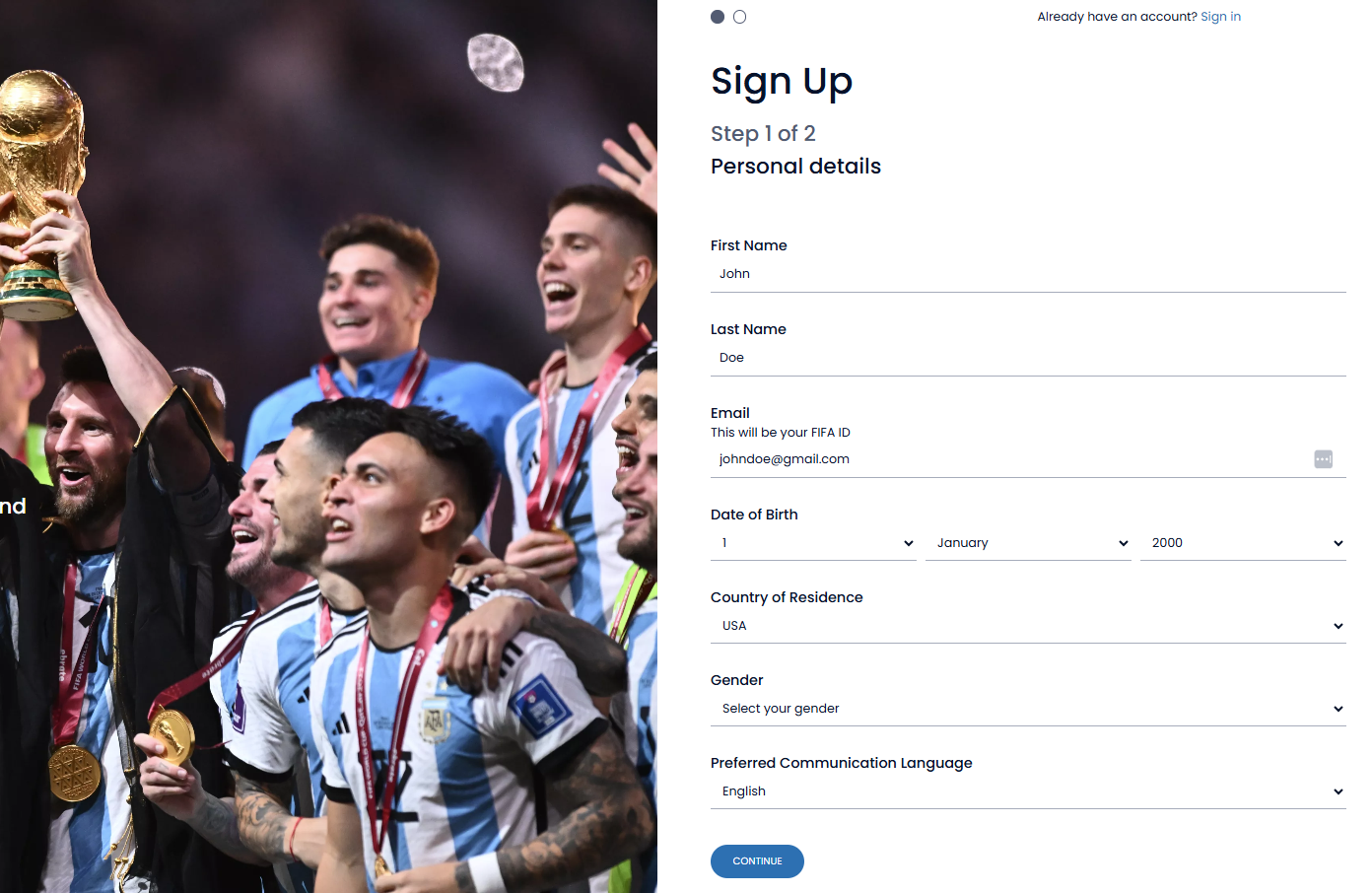
Step 2: Verify Your Email Address
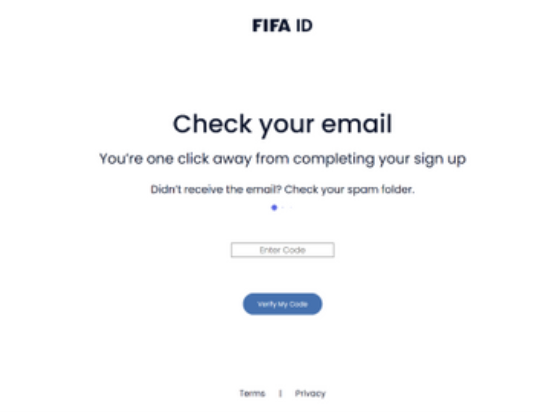
After signing up or signing in, FIFA will send a verification code to your email.
Check your inbox for the verification email
Enter the code when prompted to confirm your account
Tickets will not appear until your email address has been verified.
Step 3: Accept the Ticket Transfer (If Required)
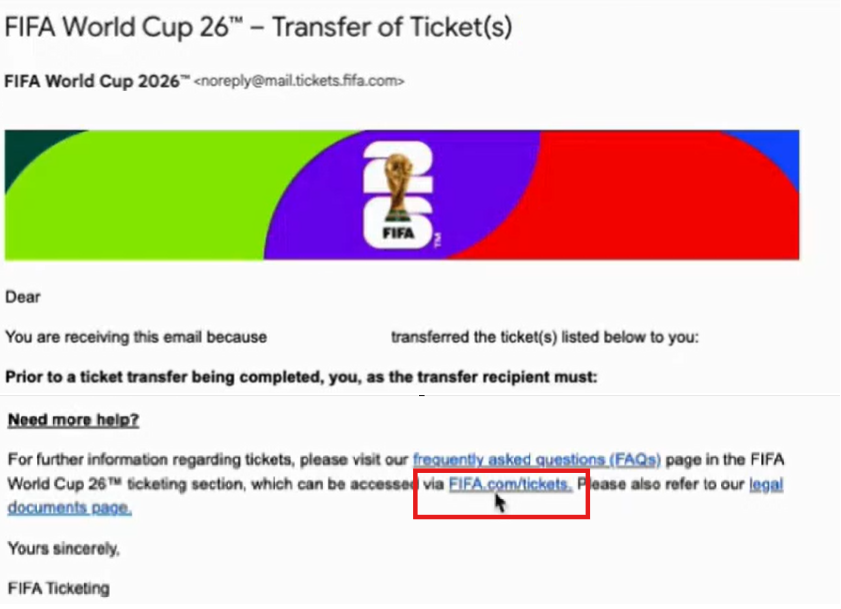
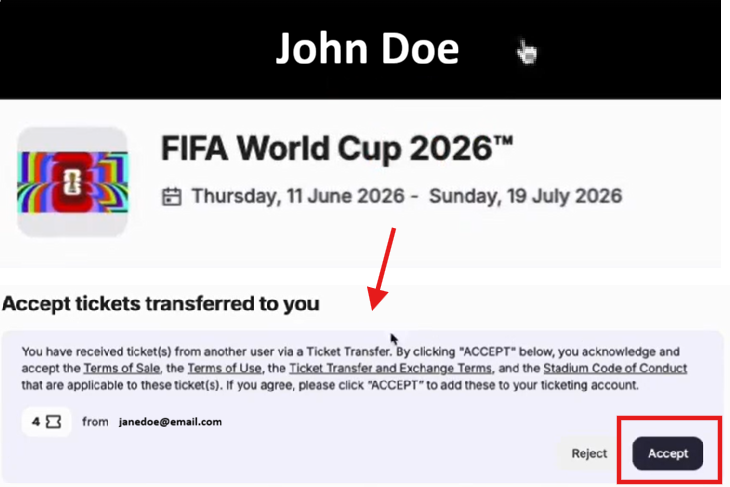
Some FIFA tickets must be accepted before they appear in your account.
Look for an email from FIFA indicating tickets were transferred to you
Follow the instructions in that email to accept the tickets
If you don’t see your tickets right away after accepting:
Log out and log back in
Refresh the page
Allow a few minutes for the system to update
Step 4: Locate Your Tickets
Once your account is verified and any transfers are accepted:
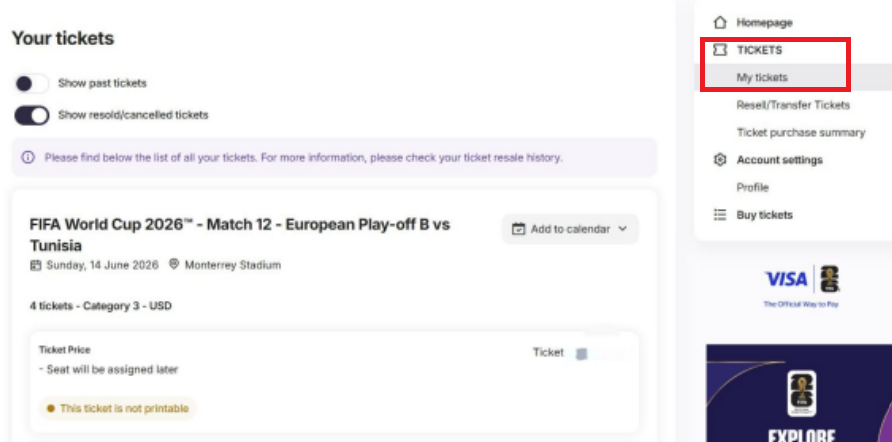
Go to My Tickets
Your upcoming FIFA World Cup matches will appear here
Select an event to view your ticket details
Note:
Seat numbers and additional details may not be visible immediately and can appear closer to the event date.
Step 5: Access Tickets via the FWC2026 Mobile Tickets App
FIFA World Cup tickets will be accessed through the official FWC2026 Mobile Tickets app.
You can download the app by:
- Search for FWC2026 Mobile Tickets in your device’s App Store or Google Play Store
OR - Download it directly on your mobile device using this link:
https://r.tixngo.io/fifatickets/
Important:
This app is required for entry into the stadium.
Once the app is installed:
- Log in using the same email address you used to accept your tickets
- Your event information should appear inside the app once you are logged in correctly
Don’t See Your QR Codes Yet?
Don’t worry — this is expected.
As part of FIFA’s security protocols:
- QR codes will not appear until within 48 hours of the match
- This timing is controlled directly by FIFA
- As long as you can see your event details in the app, your tickets are properly linked to your account
Closer to the match, your QR codes will automatically populate in the app and become ready for scanning at entry.
Screenshots, PDFs, or printed tickets will NOT be accepted for entry.
Helpful Things to Know
FIFA enforces a maximum of 4 tickets per match per account
Tickets must be displayed from the official app
Still have questions?
We’re here to help! If you need additional assistance walking through your delivery, feel free to reach out to us via live chat — our team is ready to guide you every step of the way.
Was this article helpful?
That’s Great!
Thank you for your feedback
Sorry! We couldn't be helpful
Thank you for your feedback
Feedback sent
We appreciate your effort and will try to fix the article